





CRYPTO
Send crypto conveniently
Moving your digital assets should be straightforward. With the Crypto.com App, it is. In the US, you can transfer crypto to friends or external addresses on the go – keeping you fully connected to the wider blockchain ecosystem wherever you are.
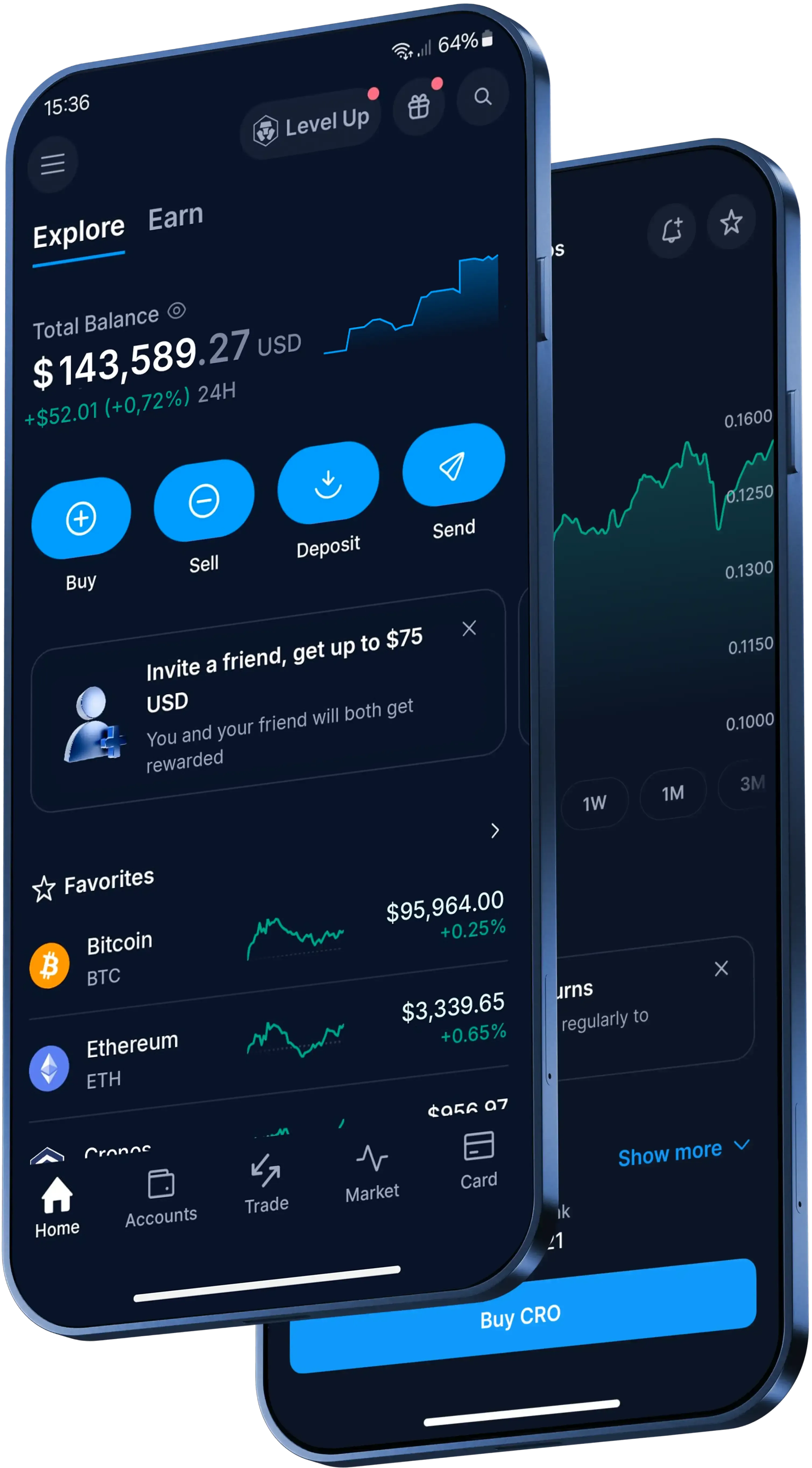
Why people use our App for crypto transfers in the US
Zero-fee user transfers
Skip the network costs. Whenever you route crypto to another Crypto.com App user, the transaction is instant and free of charge. Other fees, spreads or transfer limits may apply.
Broad external compatibility
Need to interact with decentralized apps? You can conveniently withdraw your holdings to the Crypto.com DeFi Wallet or any other supported non-custodial address.
Strong security measures
We prioritize your account safety during every transaction. Features like mandatory withdrawal whitelisting, passkey integration and strict 2FA help add a layer of security to your account.
Explore over 400 supported cryptocurrencies
Get the latest crypto pricesHow to transfer crypto in three steps
1
Open the App
Launch the Crypto.com App, go to ‘Accounts’, tap on ‘Crypto Wallet’ and locate your crypto balance.
2
Choose a recipient
Select ‘Transfer’ and then tap on ‘Withdraw’. You can choose ‘Crypto.com Users’ to bypass fees or ‘External Wallet’ to send funds to someone on the outside.
3
Authorize the transaction
Input the exact amount of crypto you want to send, double-check the network details and verify the withdrawal using your preferred protection method, like 2FA.
1
Open the App
Launch the Crypto.com App, go to ‘Accounts’, tap on ‘Crypto Wallet’ and locate your crypto balance.
2
Choose a recipient
Select ‘Transfer’ and then tap on ‘Withdraw’. You can choose ‘Crypto.com Users’ to bypass fees or ‘External Wallet’ to send funds to someone on the outside.
3
Authorize the transaction
Input the exact amount of crypto you want to send, double-check the network details and verify the withdrawal using your preferred protection method, like 2FA.
A trusted global crypto platform.
Here’s what clients all over the world are saying
4.7
320k Reviews
4.5
660k Reviews
"New to the whole crypto thing, but I finally caved after seeing the ad for this app for the hundredth time. So far I like it. The App has a clear structure, which makes it very easy to use and sign up was smooth and easy as well."
-Verified user via Google Play Store
"Best customer service… Based on my experience with other providers I was bracing myself for long customer service queues. However I was quickly referred to a real person who helped me quickly resolve my problem."
-Verified user via Apple App Store
This app meets a person where they are. It also rewards you for learning. The onboarding process is simple. You can set notifications as you choose. There are a variety of items to invest in.
-Verified user via Apple App Store
Made for the US
You can send and transfer over 400 cryptocurrencies on our App
Beyond sending crypto, you can access hundreds of digital assets in the Crypto.com App. Level Up members can also explore industry-leading rewards and get reduced fees on their transactions, subject to eligibility criteria. T&Cs apply.
Join now
Send and receive crypto across our App and web platform
Keep learning about crypto

What is Bitcoin (BTC) and how does it work?
Bitcoin is the world’s first and most widely used cryptocurrency; a decentralized digital currency that enables peer-to-peer transactions without the need for a central authority. Our guide explains how Bitcoin works and how you can securely buy, sell and store it.
What is Bitcoin (BTC) and how does it work?
Bitcoin is the world’s first and most widely used cryptocurrency; a decentralized digital currency that enables peer-to-peer transactions without the need for a central authority. Our guide explains how Bitcoin works and how you can securely buy, sell and store it.
-in-crypto-2.webp)
What is cryptocurrency and how does it work?
Cryptocurrency is a digital form of money that operates without the need for banks or governments. Explore our guide on how crypto works, the different types available, how to buy and store it, alongside the risks and rewards involved.
What is cryptocurrency and how does it work?
Cryptocurrency is a digital form of money that operates without the need for banks or governments. Explore our guide on how crypto works, the different types available, how to buy and store it, alongside the risks and rewards involved.

How to buy and invest in cryptocurrency in the US: Step by step beginners' guide
Considering investing in cryptocurrency but not sure where to begin? This step by step beginner’s guide walks you through choosing a secure platform, creating an account, funding it, and making your first purchase – plus key tips to help you keep your investment safer.
How to buy and invest in cryptocurrency in the US: Step by step beginners' guide
Considering investing in cryptocurrency but not sure where to begin? This step by step beginner’s guide walks you through choosing a secure platform, creating an account, funding it, and making your first purchase – plus key tips to help you keep your investment safer.
A global crypto trading platform
Millions of users across 90+ countries
Founded in
2016
Countries
90
Users
150M+
Learn how to trade crypto
Learn how to trade Bitcoin and 400+ other popular cryptocurrencies available on our platform.
Bitcoin
-in-the-us.webp)
Ethereum
XRP

Solana
-in-the-us.webp)
Dogecoin

Cardano

Cronos

USD Coin

Avalanche
-in-the-us.webp)
Toncoin

Official Trump

Stellar

Polygon Ecosystem Token

Uniswap
Litecoin

Chainlink

Shiba Inu

Polkadot

Pudgy Penguins
-in-crypto.webp)
Bittensor

SUI
FAQs
To send crypto, you need the recipient's wallet address and a cryptocurrency platform or wallet. Simply enter the recipient's address, specify the amount, and authorize the transaction. Using a user-friendly platform like the Crypto.com App makes this process straightforward, allowing you to manage transfers directly from your phone.
When you send crypto across its native blockchain network, you typically incur network or "gas" fees, which vary based on network congestion. However, some platforms offer ways to bypass these costs. For instance, transferring crypto to another user within the Crypto.com App is free of charge.
The time it takes to send crypto generally depends on the specific blockchain network's current traffic. Standard network transfers can take anywhere from a few minutes to longer during peak times. Alternatively, off-chain transfers between users on platforms like Crypto.com are often instant.
Yes, you can easily send crypto to external, non-custodial wallets. You will need the exact public address of the receiving wallet. Many participants use platforms like the Crypto.com App to conveniently route their holdings to the Crypto.com DeFi Wallet or other supported external addresses.
To successfully send crypto, you must have the recipient's exact wallet address and, in some cases, a destination tag or memo, depending on the network. Using established apps like Crypto.com allows you to easily input this information or seamlessly select contacts from your phone to help ensure accuracy.
Sending crypto is generally secure if you use reputable platforms and follow best practices. To help protect your account access during transfers, utilize platforms that mandate strong security measures like two-factor authentication (2FA), passkey integration, and mandatory withdrawal whitelisting, which are prioritized on the Crypto.com App.
No, cryptocurrency transactions on the blockchain are immutable. Once a transaction is authorized and confirmed on the network, you cannot cancel or reverse it to get your crypto back. It is crucial to verify the recipient's address and network details carefully before you confirm any transfer.
To learn how to send crypto on the Crypto.com App, simply open the application, go to 'Accounts', tap on 'Crypto Wallet', and locate your balance. Select 'Transfer' and then 'Withdraw'. From there, you can choose to send funds to 'Crypto.com Users' or to an 'External Wallet'.
If you route crypto to another Crypto.com App user, the transaction is instant and incurs zero fees. If you choose to withdraw your crypto to an external wallet, standard network withdrawal fees will apply. Always review the transaction details and network costs in the App before confirming.
Withdrawal whitelisting is a mandatory security measure on the Crypto.com App designed to help keep your account safe. Before you can send crypto to a new external address, you must first add it to your approved whitelist and verify the addition using your preferred protection method, such as 2FA.
Important Information
This content is sponsored by Crypto.com and should not be considered as investment advice. Trading cryptocurrencies carries risks, such as price volatility and market risks. Before deciding to trade cryptocurrencies, consider your risk appetite.
Trading is subject to account verification and eligibility.
The Level Up benefits mentioned are subject to your level in the Level Up program. Check the specific conditions and benefits for each level. Participating in Level Up does not guarantee access to all services or benefits. Services and potential benefits remain subject to local jurisdictional requirements, availability, and terms and conditions, among other things. All benefits, offers, and rewards conferred by Crypto.com, including but not limited to CRO Rewards, are subject to change at Crypto.com’s sole discretion. See https://crypto.com/us/levelup for details.