





Crypto assets are inherently risky and high volatility can significantly impact the value of your holdings.
CRYPTO
How to trade XRP in the US
Entering the crypto market is a lot more straightforward when you have the right tools. If you want to learn how to trade XRP in the US, the Crypto.com App provides a user-friendly way to get started.
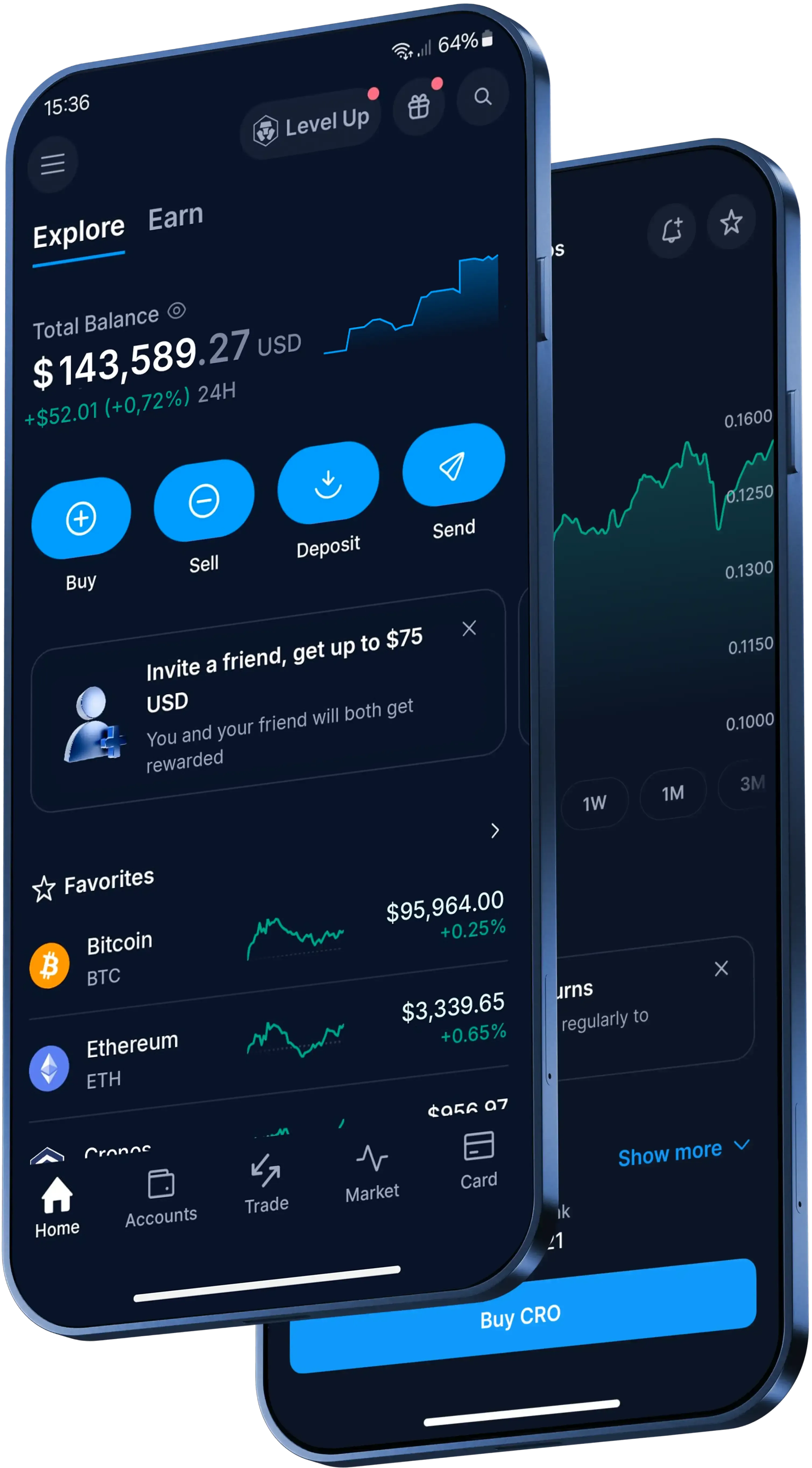
Essential features for XRP trading
Real-time market access
Track movements as they happen. Whether you’re a beginner or a seasoned participant, our platform has the tools to help you trade XRP with confidence
Fast order execution
Seize market opportunities without delay. Deep liquidity on our exchange ensures your orders are filled rapidly, giving you more control when you decide to trade XRP.
More security features
We employ rigorous storage and verification measures to help you keep your account protected when trading Bitcoin. Note: Security measures refer to account access protocols, not asset safety.
Live XRP price in US Dollars
Step-by-step guide on how to trade XRP in the US
1
Download the App and verify
Get the Crypto.com App from your preferred app store and complete the identity verification process to get your profile up and running.
2
Fund your account
Deposit fiat currency like USD or transfer existing crypto into your account to make sure it’s fully funded and ready to trade XRP.
3
Execute your trade
Go to the trading interface, select XRP, choose your desired trading pair and confirm your transaction to finalize your position.
1
Download the App and verify
Get the Crypto.com App from your preferred app store and complete the identity verification process to get your profile up and running.
2
Fund your account
Deposit fiat currency like USD or transfer existing crypto into your account to make sure it’s fully funded and ready to trade XRP.
3
Execute your trade
Go to the trading interface, select XRP, choose your desired trading pair and confirm your transaction to finalize your position.
Made for the US
Trusted globally. Built for XRP traders.
What is XRP?
XRP is the cryptocurrency supported by the XRP Ledger. It is used on the network to facilitate transactions, help protect the ledger from spam and bridge currencies in the XRP Ledger’s decentralized exchange when useful to users.
Ripple is a technology company. XRP is a separate digital asset, not the company itself.
How to trade XRP in the Crypto.com App
Trading is subject to account verification and eligibility.
- Download the Crypto.com App and complete identity verification.
- Fund your account with US dollars (USD) or supported crypto.
- Go to the trading interface, select XRP, choose your trading pair and confirm the transaction.
Check the App for the current fee schedule and spread before placing a trade.
How can Limit Orders apply to XRP?
When used for XRP, a Limit Order in the App lets you set a price at which you want to buy or sell. The order executes only if the market reaches that price, depending on market liquidity.
After you place a Limit Order, the required funding amount or the XRP you want to sell is locked while the order is Open or Processing. Partial fills are not supported. XRP Limit Orders have a maximum notional limit of US$50,000 per order for Prime and non-Prime users. Credit or debit card Limit Orders expire after 30 days if they are not executed. Any third-party interest or fees related to Limit Orders are your responsibility.
What is an XRP destination tag?
A destination tag is a numbers-only detail used with XRP addresses on centralized platforms to identify the recipient account.
When depositing XRP into the Crypto.com App, use both the deposit address and destination tag. If you send XRP to a centralized wallet without a required destination tag, the funds may be lost or may not be reversible. Check the receiving platform before sending.
What to do after you trade XRP
Once you’ve converted your XRP into fiat or another token, you can:
- Store your newly acquired tokens in your wallet on our App.
- Unlock potential platform perks through the Level Up program.
- Spend your available balances (where supported) with a Crypto.com Visa Card.
Over 400 cryptocurrencies supported
Get the latest crypto pricesWhat clients say about trading on our App
4.7
320k Reviews
4.5
660k Reviews
"Here since 2021 and have tried other crypto apps but this is definitely the best out there. Easy to use and their support team is one of a kind."
-Verified user via Google Play Store
"I’ve used Coinbase, Robinhood and Kraken, and Crypto.com is the best I’ve found. A huge variety of tokens. I’ve been using it exclusively for 4 years and have no complaints. The App is easy to use and the UI is great."
-Verified user via Apple App Store
"I’ve been utilizing the Crypto.com App for 4-5 yrs. It was simpler, crypto-focused and easy to use. Since then, stocks and prediction markets and some other nice features have been added. I like these additions and still find the app easy to navigate."
-Verified user via Apple App Store
User reviews were not compensated, are based on individual, subjective experiences and don’t guarantee similar outcomes. Customer service response times may vary. All investments carry risk and value can go up or down.
Trade over 400 cryptocurrencies with low fees*
Beyond XRP trading, you can access hundreds of digital assets in the Crypto.com App. Level Up members can also explore industry-leading rewards and get reduced fees on their transactions, subject to eligibility criteria. T&Cs apply.
Join now
Keep learning about XRP trading and crypto fundamentals
Cryptocurrency trading pairs: A beginner’s guide
Cryptocurrency trading pairs are the building blocks of crypto trading. Just as dollars can be exchanged for euros, traders can use one cryptocurrency for another through these pairs, which offer opportunities for both beginners and experienced traders to profit from market movements.
Learn more
Cryptocurrency trading pairs: A beginner’s guide
Cryptocurrency trading pairs are the building blocks of crypto trading. Just as dollars can be exchanged for euros, traders can use one cryptocurrency for another through these pairs, which offer opportunities for both beginners and experienced traders to profit from market movements.
Learn more
What is crypto day trading: Beginners' guide
Curious about making fast trades in the crypto market? Our beginner’s guide explains everything you need to know about crypto day trading, including key strategies, risk management tools, and tips for choosing the right platform.
Learn more
What is crypto day trading: Beginners' guide
Curious about making fast trades in the crypto market? Our beginner’s guide explains everything you need to know about crypto day trading, including key strategies, risk management tools, and tips for choosing the right platform.
Learn more
What is crypto OTC trading & how does it work?
Crypto ‘over-the-counter’ (OTC) trading provides a private way to trade larger amounts of cryptocurrency without using a public exchange order book. This guide explains how it works, how quotes are created and how services like the Crypto.com OTC desk support institutional and VIP users.
Learn more
What is crypto OTC trading & how does it work?
Crypto ‘over-the-counter’ (OTC) trading provides a private way to trade larger amounts of cryptocurrency without using a public exchange order book. This guide explains how it works, how quotes are created and how services like the Crypto.com OTC desk support institutional and VIP users.
Learn more
A global crypto trading platform
Millions of users across 90+ countries
Founded
2016
Countries
90
Users
150M+
FAQs
XRP trading involves buying and selling XRP in the cryptocurrency market. Participants exchange fiat currency or other digital assets for XRP, aiming to navigate market movements. For a seamless experience, many choose established platforms like the Crypto.com App to access deep liquidity and real-time data.
To learn how to trade XRP, beginners should start by researching the asset and understanding market dynamics. Next, choose a user-friendly exchange, create an account, and complete identity verification. The Crypto.com App offers an accessible entry point with an intuitive interface for new participants.
Before you trade XRP, you need a verified account on a reliable cryptocurrency platform, a secure wallet to store your assets, and a funding method like a bank transfer. Selecting a comprehensive app like Crypto.com can provide all these essential tools in one convenient place.
The amount needed to start trading XRP depends on the platform you choose and your personal budget. Many exchanges allow you to begin with just a small amount. On the Crypto.com App, you can fund your account and execute your first trade with a very low minimum requirement.
Yes, unlike traditional stock markets, the cryptocurrency market operates 24 hours a day, seven days a week. Using a mobile application like the Crypto.com App ensures you can track real-time price movements and execute orders whenever you choose to trade XRP.
The price of XRP is driven by supply and demand dynamics in the cryptocurrency market. Factors can include network updates, market sentiment, macroeconomic trends, and broader industry developments. Using tools like the charts on the Crypto.com App can help you monitor these real-time price fluctuations.
Cryptocurrency markets are inherently volatile, meaning XRP trading carries risk and the value of your holdings can go up or down. To help protect your account access, it is important to use platforms that prioritize robust security measures, such as the stringent verification and cold storage protocols provided by Crypto.com.
To trade XRP on the Crypto.com App, simply download the application and complete the identity verification process. Next, fund your account using a supported fiat or crypto method. Navigate to the trading interface, search for XRP, select your preferred pair, and confirm your transaction.
Crypto.com offers competitive rates for XRP trading. Users may also access reduced transaction fees and explore other platform perks through the Level Up program, subject to eligibility criteria. Always check the App for the most current fee schedule and spread before executing a trade.
You can fund your account on the Crypto.com App in several ways before you trade XRP. The platform supports fiat currency deposits via bank transfer, credit card, or debit card, depending on your region. Alternatively, you can transfer existing digital assets directly into your crypto wallet.
Important Information
* Zero trading fees up to the transaction limit specified per Level Up tier. Other transaction fees and spread may apply.
This content is sponsored by Crypto.com and should not be considered as investment advice. Trading cryptocurrencies carries risks, such as price volatility and market risks. Before deciding to trade cryptocurrencies, consider your risk appetite.
Trading is subject to account verification and eligibility.
The Level Up benefits mentioned are subject to your level in the Level Up program. Check the specific conditions and benefits for each level. Participating in Level Up does not guarantee access to all services or benefits. Services and potential benefits remain subject to local jurisdictional requirements, availability, and terms and conditions, among other things. All benefits, offers, and rewards conferred by Crypto.com, including but not limited to CRO Rewards, are subject to change at Crypto.com’s sole discretion. See https://crypto.com/us/levelup for details.