ACH, wire or Instant Deposit? Here's how each one moves money into your crypto account, what they cost and how long until you can withdraw.

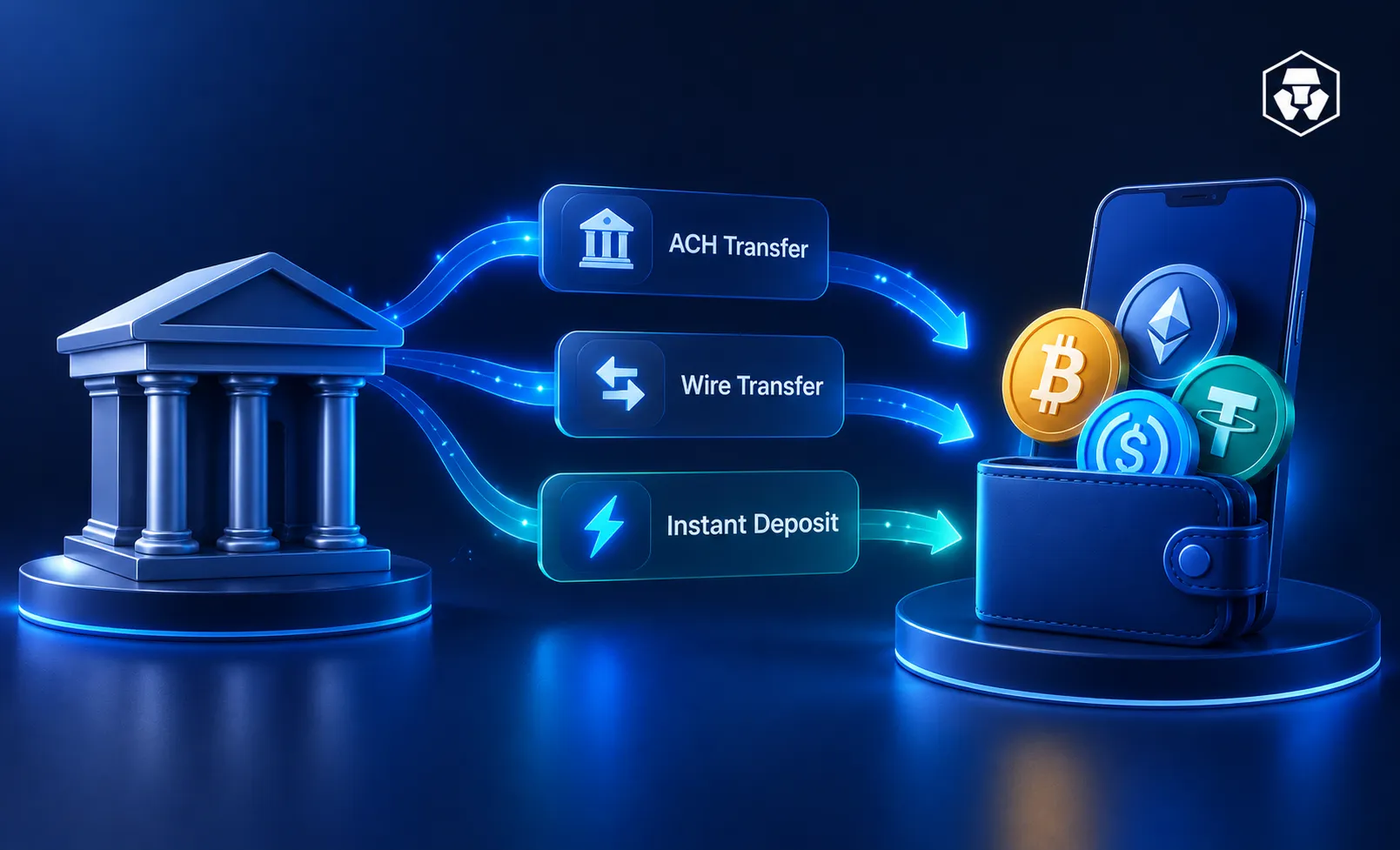
Linking a US bank account is one of the most common ways to move fiat money onto a crypto platform and start buying digital assets.
In the US, you'd pick from three options: standard ACH, a bank wire or Instant Deposit. Each works differently: speed, fees, limits and when you can withdraw all vary.
This guide breaks down how to link a bank account safely.
It's educational only, not a recommendation for which method to use.
A USD bank account moves money directly through the banking system, no card or third-party app required. Once it lands in your fiat wallet, you're ready to buy.
ACH (Automated Clearing House) | It’s an electronic fund transfer made between banks and credit unions across the Automated Clearing House network. It's seen as the low-cost, everyday option for routine deposits. |
Wire transfer | It involves an electronic transfer of funds from one bank or credit union account directly to another. Wires are built for speed and larger amounts and they usually carry a bank-side fee. |
Instant Deposit | On the Crypto.com App, Instant Deposit credits the customer with the deposit amount before the underlying bank transfer settles. Funds usually become usable within minutes. That gives you quick buying power while the actual money movement completes in the background. |
Which one fits depends on your priorities: ACH for low cost, a wire for a large lump sum, Instant Deposit to act on a price right away.
You can review these options within the Crypto.com App
Think of ACH as the operating system behind most everyday US bank activities: direct deposits, bill payments and transfers between accounts.
It's an electronic fund transfer network operating between banks and credit unions.
ACH runs on a batch-based network, not instantly. Payments don't settle on weekends or federal holidays, which can add processing days around those dates; a transfer sent Friday or before a holiday may take longer than one sent midweek.
Same Day ACH exists as a faster lane and can move payments within hours, but availability depends on your bank and isn't guaranteed for every deposit.
On the Crypto.com Exchange (note that this is separate from the Crypto.com App), ordinary ACH deposits take one to five business days, with a first deposit from a new bank possibly taking longer.
On the Crypto.com App, you initiate the transfer yourself from your own banking app or portal, using the reference details Crypto.com provides, essentially pushing the money from your side.
Crypto.com only accepts App ACH transfers from bank accounts in your own name. Third-party transfers aren't accepted.
Crypto.com doesn't charge a fee for standard ACH deposits on the App, though your bank might.
On transaction limits, the minimum is $1 per transaction. The maximums are $1,000,000 or five transactions a day and $10,000,000 or 30 transactions a month. These caps are subject to changes.
A wire transfer is an electronic transfer of funds from one bank or credit union account directly to another. Wires tend to be the go-to when speed and larger amounts matter more than saving on fees.
Many US wires run through Fedwire, the Federal Reserve's settlement service built for large-value, time-critical payments.
Once processed, transfers are immediate and irrevocable, a feature that also means mistakes are hard to reverse.
Fedwire operates within defined hours and doesn't run on Saturdays, Sundays or holidays. Your bank's cutoff time may apply even earlier. Send after that cutoff and the wire won't move until the next business day.
Wires are where fees diverge most from ACH. As one example, a major US bank lists $30 for an outgoing domestic wire, though fees vary by bank and account type. Check with yours.
On the Crypto.com App, wire transfers accept domestic USD deposits only, with a $1,000 minimum per transaction, a higher floor than ACH.
The maximums, though, are identical to standard ACH: $1,000,000 or five transactions a day, $10,000,000 or 30 a month. A wire doesn't buy a higher ceiling on the App. Crypto.com itself doesn't charge a fee for wire deposits but your bank might.
Accuracy matters more with wires than with ACH. On the App, personalised instructions live under ‘Deposit > Cash > USD > Wire Bank Transfer’ and funds need to come from your own account.
On the Exchange, include the specific reference code in the transfer notes so the deposit attributes correctly. Leave it out and the deposit can be delayed.
Instant Deposit solves a specific problem: waiting. On the Crypto.com App, it credits you with the deposit amount before the underlying bank transfer settles, so funds are usually usable within a few seconds.
The benefit is that you can act on a price without waiting for the bank movement to finish. The trade-off: settlement, the point where the money actually finishes moving between banks, happens afterward in the background. More on that below.
Before you can use it, link your bank account through Plaid, a third-party verification service, via your bank's own secure login. The account name has to match the name on your Crypto.com App account. A mismatch can get the deposit rejected or delayed.
The minimum is $10 per transaction, with up to five deposits per rolling 24-hour period and 30 per rolling 30-day period. Amounts vary by account tier.
Pending Instant Deposit funds can take up to seven business days to fully settle. Displayed buying power doesn't confirm the underlying debit has actually gone through.
If it fails, Crypto.com may record an outstanding balance on your account (insufficient bank funds is one cited cause). More on what this means for withdrawals in the next section.
There's also a separate Exchange version. Instant Deposit (ACH) gives eligible US retail users immediate trading access, initiated directly on the Exchange rather than the App.
It's currently US-only; like the App version, Crypto.com doesn't charge a fee, though your bank might.
Figures reflect documented Crypto.com App terms unless noted and both fees and limits vary by bank and platform.
Feature | Standard ACH | Wire transfer | Instant Deposit |
Deposit speed | ACH does not settle on weekends or federal holidays. Exchange ACH is usually one to five business days. | Immediate, final and irrevocable once processed via Fedwire, within operating hours | Funds are usually usable within a few seconds. |
Trading availability | After deposit posts | After deposit posts | Immediate buying power |
Fee structure (Crypto.com) | No Crypto.com fee. Bank fee may apply. | No Crypto.com fee. Bank fee may apply. | No Crypto.com fee (Exchange). Bank fee may apply. |
Transfer limits (App) | $1 minimum Up to $1,000,000/5 per day, $10,000,000/30 per month | $1,000 minimum Same daily/monthly maximums as ACH | $10 minimum 5 per 24 hours, 30 per 30 days Amounts vary by tier |
Withdrawal availability | After funds post | After funds post | Purchased crypto are held for seven business days. |
As a rough guide: standard ACH are preferred by those who value routine, lower-cost deposits.
Wires appeal to larger lump sums where speed matters. Crypto.com’s Instant Deposit does away with the waiting and gives users the opportunity to act on price movements right away.
There's no single ‘best’ method. The right fit depends on your amount, urgency and bank. Remember that fee structures and limits vary based on platform policies and individual banking institutions.
Buying power is the immediate ability to trade dollars for crypto on the platform. A withdrawal hold is a separate restriction that stops you from moving purchased crypto or fiat off-platform until the underlying funds clear.
You can have full buying power and still be unable to withdraw. On the Crypto.com App, cryptocurrency purchased using an Instant Deposit Pending Balance usually cannot be withdrawn or transferred out of App wallets for seven business days.
The hold exists because settlement takes time: pending funds take up to that same seven days to fully clear. Until they do, the platform is carrying the risk that your bank debit could fail or reverse.
If funds used from an Instant Deposit Pending Balance fail to settle, Crypto.com may record this as an outstanding balance on the customer's App account.
On the Exchange, the safeguard goes further: if a bank rejects or reverses an Exchange Instant Deposit and this creates a negative USD balance, Crypto.com states it will automatically liquidate crypto assets to cover the shortfall.
The Exchange applies its hold broadly. Any value credited via Exchange Instant Deposit is restricted from withdrawal for seven business days, whether it remains in USD or has been traded into crypto.
You can review withdrawal availability rules in the App and Exchange help resources before you move funds off-platform.
The takeaway: immediate access to trade doesn't mean immediate freedom to withdraw. Plan around the hold if you may need to transact assets soon.
Here's the general flow for connecting a US bank account and making a crypto purchase.
Crypto.com recommends enabling two-factor authentication using an authenticator app, along with setting an anti-phishing code in the App.
Routing numbers, account numbers and any required reference memo need to be exact. On the Exchange, customers are instructed to include a specific reference code in the notes of a Fedwire transfer to ensure correct account attribution.
Crypto.com only accepts App ACH transfers from bank accounts opened under the customer's own name and third-party transfers are not accepted. Crypto.com also warns that deposits originating from joint bank accounts may not be processed correctly and may be returned.
Crypto.com advises customers not to share passwords or authentication codes with anyone, noting that Crypto.com will never request this information. Be sceptical of anyone asking you to send funds to an unfamiliar third party.
None of this makes a transfer risk-free, but careful habits reduce the chance of a delayed, returned or misdirected deposit.
How long does it take to buy BTC with a bank account?
It depends on the method. Instant Deposit funds may become usable within a few seconds on the App. Standard ACH is slower; ACH doesn't settle on weekends or federal holidays. On the Exchange, ordinary ACH deposits may take one to five business days, with a first deposit from a new bank account possibly taking longer. Some ACH transfers can use Same Day ACH, though not every transaction does.
What is the cheapest way to deposit USD into a crypto account?
On the App, Crypto.com states it doesn’t charge a fee for standard ACH deposits or wire deposits. The same applies to Exchange Instant Deposits and standard Exchange ACH deposits. In each case, your bank may apply its own fee, which varies by financial institution. So, the ‘cheapest’ route may come down to what your bank charges.
What is the difference between ACH and wire transfer for crypto?
ACH is an electronic transfer across the Automated Clearing House network between banks and credit unions, while a wire is a direct electronic transfer from one bank account to another. Wires via Fedwire are generally used for large-value, time-critical payments and are final once processed, but Fedwire doesn't operate on weekends or holidays and bank cutoff times apply.
Can I withdraw crypto immediately after using Instant Deposit?
No. On the App, cryptocurrency purchased using an Instant Deposit Pending Balance usually cannot be withdrawn or transferred out of App wallets for seven business days. On the Exchange, any value credited via Instant Deposit is restricted from withdrawal for seven business days, whether it stays in USD or is traded into crypto.
Why is my bank transfer deposit on hold?
Holds exist because settlement takes time and carries reversal risk. Pending App Instant Deposit funds can take up to seven business days to fully settle. If funds fail to settle, Crypto.com may record an outstanding balance on the App account. On the Exchange, a rejected or reversed transfer that creates a negative USD balance can trigger automatic liquidation of crypto assets.
Does Crypto.com charge fees for ACH deposits?
Crypto.com states it doesn’t charge a fee for standard ACH deposits on the App and it doesn’t charge fees for standard Exchange ACH deposits either. In both cases, your bank may apply a separate processing fee that varies by financial institution.
What happens if an ACH bank transfer fails or bounces?
On the App, if funds used from an Instant Deposit Pending Balance fail to settle, Crypto.com may record this as an outstanding balance. On the Exchange, a rejected or reversed Instant Deposit that creates a negative USD balance can lead Crypto.com to liquidate crypto assets to cover the shortfall. A $40 administration fee may also apply to the return of an erroneous USD deposit on the Exchange.
Can I link a joint bank account to my crypto account?
Proceed carefully. Deposits originating from joint bank accounts may not be processed correctly and may be returned. Crypto.com only accepts App ACH transfers from accounts opened under the customer's own name and third-party transfers are not accepted. Using an account clearly in your own name avoids most name-matching issues.
Disclaimer: This article is for informational purposes only and should not be construed as financial or investment advice.
Past performance does not guarantee future results.
Important Information: This is informational content sponsored by Crypto.com and should not be considered as investment advice. Trading cryptocurrencies carries risks, such as price volatility and market risks. Past performance may not indicate future results. There's no assurance of future profitability. Before deciding to trade cryptocurrencies, consider your risk appetite.
Services, features and other benefits referenced in this article may be subject to eligibility requirements, token holdings, and may change at the discretion of Crypto.com.




