





Security measures refer to account access protocols, not asset safety. Crypto assets are inherently risky and high volatility can significantly impact the value of your holdings.

CRYPTO
You can send USDS conveniently
Moving your digital assets should be straightforward. With the Crypto.com App, it is. In Canada you can transfer USDS to friends or external addresses on the go – keeping you fully connected to the wider blockchain ecosystem wherever you are.
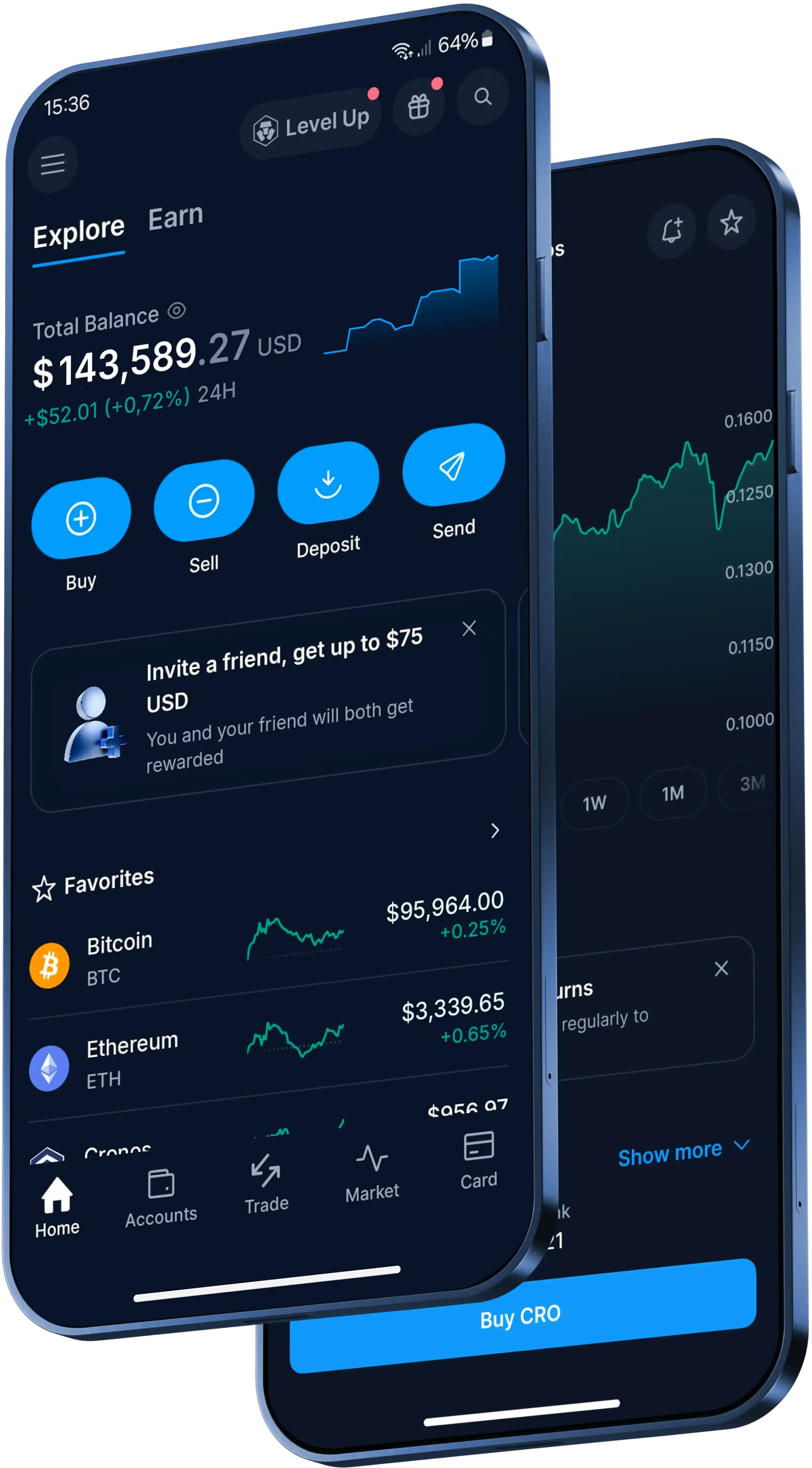
Why people use our App for USDS transfers in Canada
Zero-fee user transfers
Skip the network costs. Whenever you route USDS to another Crypto.com App user, the transaction is instant and free of charge. Other fees, spreads or transfer limits may apply.
Broad external compatibility
Need to interact with decentralized apps? You can conveniently withdraw your holdings to the Crypto.com DeFi Wallet or any other supported non-custodial address.
Strong security measures
We prioritize your account safety during every transaction. Features like mandatory withdrawal whitelisting, passkey integration and strict 2FA help add a layer of security to your account.
Live USDS price in Canadian Dollars (CAD)
How to transfer USDS in three steps
1
Open the App
Launch the Crypto.com App, go to ‘Accounts’, tap on ‘Crypto Wallet’ and locate your USDS balance.
2
Choose a recipient
Select ‘Transfer’ and then tap on ‘Withdraw’. You can choose ‘Crypto.com Users’ to bypass fees or ‘External Wallet’ to send funds to someone on the outside.
3
Authorize the transaction
Input the exact amount of USDS you want to send, double-check the network details and verify the withdrawal using your preferred protection method, like 2FA.
Made for Canada
A trusted global crypto platform
What is USDS?
USDS is the native stablecoin of Sky Protocol. It is issued through the protocol and governed by SKY token holders, with backing you can verify onchain.
USDS is commonly described as a stablecoin because it is designed to stay close to US$1. Although the term "stablecoin" is commonly used, there is no guarantee that the asset will maintain a stable value in relation to the value of the reference asset when traded on secondary markets or that the reserve of assets, if there is one, will be adequate to satisfy all redemptions.
How to send USDS in the Crypto.com App
In the Crypto.com App, here's the basic flow:
- Go to 'Accounts', tap 'Crypto Wallet' and find your USDS balance.
- Tap 'Transfer', then 'Withdraw'.
- Choose 'Crypto.com Users' to send to another App user, or 'External Wallet' for an outside address.
- Enter the USDS amount, check the network details and confirm the withdrawal with two-factor authentication (2FA) or another available protection method.
If you're sending to a new external address, add it to your approved whitelist and verify the addition before you send.
What can it cost to send USDS?
Sending USDS to another Crypto.com App user is instant and free. Other fees, spreads or transfer limits may apply.
External wallet withdrawals can involve standard network withdrawal fees. Review the transaction details and any network costs in the App before you confirm.
Can you cancel or reverse a USDS transfer?
A blockchain transfer can't be cancelled or reversed once it is authorized and confirmed on the network. Double-check the recipient's address, network details and amount before you confirm.
For transfers to another App user, also verify the recipient's email address or phone number, including the country code. A completed Send transfer is final, and Crypto.com is unable to undo it.
You can do more with your USDS
Beyond sending crypto on our App, our platform enables you to:
- Store your digital assets in our high-security environment.
- Explore the perks of the Level Up programme.
- Use your crypto for everyday spending (where supported).
Explore over 400 supported cryptocurrencies
Get the Latest Crypto PricesHere’s what clients all over the world are saying
4.7
320k Reviews
4.5
660k Reviews
"New to the whole crypto thing, but I finally caved after seeing the ad for this app for the hundredth time. So far I like it. The App has a clear structure, which makes it very easy to use and sign up was smooth and easy as well."
-Verified user via Google Play Store
"Best customer service… Based on my experience with other providers I was bracing myself for long customer service queues. However I was quickly referred to a real person who helped me quickly resolve my problem."
-Verified user via Apple App Store
"This app meets a person where they are. It also rewards you for learning. The onboarding process is simple. You can set notifications as you choose. There are a variety of items to trade."
-Verified user via Apple App Store
User reviews are based on individual experiences and don’t guarantee similar outcomes. Trading cryptocurrency involves complexity and carries risk; you can lose some or all of your value. Features and availability may vary by region. Rewards are not guaranteed.
Keep learning about USDS and crypto

What is a crypto wallet and how does it work?
Whether you’re buying your first cryptocurrency or actively trading, one tool is absolutely essential: the crypto wallet. Here, we cover what a crypto wallet is, how it works and how to choose the best one for you.
Learn more
What is a crypto wallet and how does it work?
Whether you’re buying your first cryptocurrency or actively trading, one tool is absolutely essential: the crypto wallet. Here, we cover what a crypto wallet is, how it works and how to choose the best one for you.
Learn more

What is cryptocurrency and how does it work?
Cryptocurrency is a digital form of money that operates without the need for banks or governments. Explore our guide on how crypto works, the different types available, how to buy and store it alongside the risks and rewards involved.
Learn more
What is cryptocurrency and how does it work?
Cryptocurrency is a digital form of money that operates without the need for banks or governments. Explore our guide on how crypto works, the different types available, how to buy and store it alongside the risks and rewards involved.
Learn more
What is crypto day trading and how to get started? (Beginner’s guide)
Curious about making fast trades in the crypto market? Our beginner’s guide explains everything you need to know about crypto day trading, including key strategies, risk management tools and tips for choosing the right platform.
Learn more
A global crypto trading platform
Millions of users across 90+ countries
Founded
2016
Countries
90
Users
150M+
FAQs
To send USDS, you need the recipient's wallet address and a cryptocurrency platform or wallet. Simply enter the recipient's address, specify the amount, and authorize the transaction. Using a user-friendly platform like the Crypto.com App makes this process straightforward, allowing you to manage transfers directly from your phone.
When you send USDS across its native blockchain network, you typically incur network or "gas" fees, which vary based on network congestion. However, some platforms offer ways to bypass these costs. For instance, transferring USDS to another user within the Crypto.com App is free of charge.
The time it takes to send USDS generally depends on the blockchain network's current traffic. Standard network transfers can take anywhere from a few minutes to longer during peak times. Alternatively, off-chain transfers between users on platforms like Crypto.com are often instant.
Yes, you can easily send USDS to external, non-custodial wallets. You will need the exact public address of the receiving wallet. Many participants use platforms like the Crypto.com App to conveniently route their holdings to the Crypto.com DeFi Wallet or other supported external addresses.
To successfully send USDS, you must have the recipient's exact wallet address and, in some cases, a destination tag or memo, depending on the network. Using established apps like Crypto.com allows you to easily input this information or seamlessly select contacts from your phone to ensure accuracy.
Sending USDS is generally secure if you use reputable platforms and follow best practices. To help protect your account access during transfers, utilize platforms that mandate strong security measures like two-factor authentication (2FA), passkey integration, and mandatory withdrawal whitelisting, which are prioritized on the Crypto.com App.
No, cryptocurrency transactions on the blockchain are immutable. Once a transaction is authorized and confirmed on the network, you cannot cancel or reverse it to get your USDS back. It is crucial to verify the recipient's address and network details carefully before you confirm any transfer.
To learn how to send USDS on the Crypto.com App, simply open the application, go to 'Accounts', tap on 'Crypto Wallet', and locate your balance. Select 'Transfer' and then 'Withdraw'. From there, you can choose to send funds to 'Crypto.com Users' or to an 'External Wallet'.
If you route USDS to another Crypto.com App user, the transaction is instant and incurs zero fees. If you choose to withdraw your USDS to an external wallet, standard network withdrawal fees will apply. Always review the transaction details and network costs in the App before confirming.
Withdrawal whitelisting is a mandatory security measure on the Crypto.com App designed to help keep your account safe. Before you can send USDS to a new external address, you must first add it to your approved whitelist and verify the addition using your preferred protection method, such as 2FA.
Important Information
* Zero trading fees up to the transaction limit specified per Level Up tier. Other transaction fees and spread may apply.
Important information: This content is sponsored by Crypto.com and should not be considered as investment advice. Trading cryptocurrencies carries risks, such as price volatility and market risks. You can lose your entire investment. Before deciding to trade cryptocurrencies, consider your risk appetite.
Crypto.com’s Main App is offered through Foris DAX CAN ULC, which is registered as a Restricted Dealer. A copy of its exemptive relief draft is available here.
Trading is subject to account verification and eligibility.
The Level Up benefits mentioned are subject to your level in the Level Up program. Check the specific conditions and benefits for each level. Participating in Level Up does not guarantee access to all services or benefits. Services and potential benefits remain subject to local jurisdictional requirements, availability, and terms and conditions, among other things. All benefits, offers, and rewards conferred by Crypto.com, including but not limited to CRO Rewards, are subject to change at Crypto.com’s sole discretion. See https://crypto.com/ca/levelup for details.
Rewards associated with the Crypto.com Level Up Plan, such as rebates, travel perks, and other incentives, are exclusively available to Level Up Plan subscribers. For detailed information about Level Up Plan tiers and their respective rewards, visit https://crypto.com/ca/levelup.