Crypto.com Logo

CRYPTO

Send NEAR Protocol conveniently

Moving your digital assets should be straightforward. With the Crypto.com App, it is. In Australia, you can transfer NEAR Protocol to friends or external addresses on the go – keeping you fully connected to the wider blockchain ecosystem wherever you are.

Crypto com US

Why people use our App for NEAR Protocol transfers in Australia

Zero-fee user transfers

Skip the internal network costs. Whenever you route NEAR Protocol to another Crypto.com App user, the transaction is processed instantly and entirely free of charge.

Broad external compatibility

Need to interact with decentralized apps? You can conveniently withdraw your holdings to the Crypto.com DeFi Wallet or any other supported non-custodial address.

Strong security measures

We prioritise your account safety during every transaction. Features like mandatory withdrawal whitelisting, passkey integration and strict 2FA help add a layer of security to your account.

Live NEAR Protocol price in Australian Dollars (AUD)

How to transfer NEAR Protocol in three steps

1

Open the App

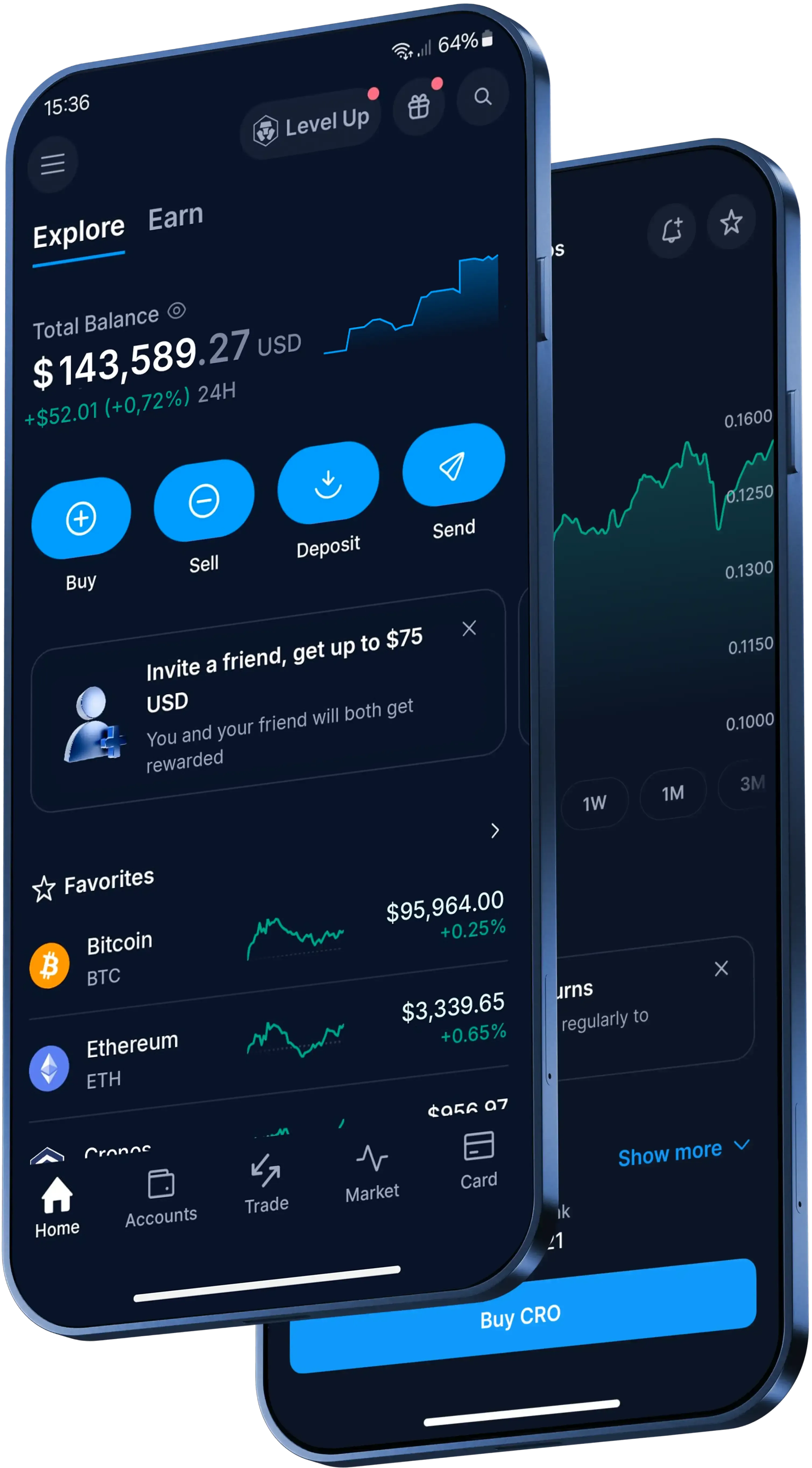
Launch the Crypto.com App, go to ‘Accounts’, tap on ‘Crypto Wallet’ and locate your NEAR Protocol balance.

2

Choose a recipient

Select ‘Transfer’ and then tap on ‘Withdraw’. You can choose ‘Crypto.com Users’ to bypass fees or ‘External Wallet’ to send funds to someone on the outside.

3

Authorize the transaction

Input the exact amount of NEAR Protocol you want to send, double-check the network details and verify the withdrawal using your preferred protection method, like 2FA.

Made for Australia

A trusted global crypto platform

What are NEAR Protocol and NEAR?

NEAR Protocol has a native token called NEAR. On the network, NEAR is used to pay transaction fees, support processing and storage, and move value between NEAR accounts and applications.

NEAR can also be exchanged at the protocol level without trusted third parties clearing or settling the transfer.

How do you send NEAR in the Crypto.com App?

In the Crypto.com App, here's the basic flow:

  1. Open the App, go to 'Accounts', tap 'Crypto Wallet' and find your NEAR balance.
  2. Tap 'Transfer', then 'Withdraw'.
  3. Choose 'Crypto.com Users' for another App user, or 'External Wallet' for an outside address.
  4. Enter the NEAR amount, check the network details and verify the withdrawal using your preferred protection method, such as two-factor authentication (2FA).

What fees and timing can apply when you send NEAR?

It depends on the route.

Sending NEAR to another Crypto.com App user is instant and free of charge, though other fees, spreads or transfer limits may apply. If you withdraw NEAR to an external wallet, standard network withdrawal fees apply.

Timing for external transfers depends on current network traffic and can take a few minutes, or longer during busy periods. Review the transaction details and network costs in the App before you confirm.

What should you check before sending NEAR externally?

For an external NEAR withdrawal, you'll need the recipient's exact public wallet address. Depending on the network, a destination tag or memo may also be required.

Before sending NEAR to a new external address in the App, you must add it to your withdrawal whitelist and verify the addition with a protection method, such as 2FA. Check the address and network details carefully before you confirm.
Do more with your NEAR Protocol

Beyond sending crypto on our App, our platform enables you to:

  • Store your digital assets in our high-security environment.
  • Explore the perks of the Level Up programme.
  • Use your crypto for everyday spending (where supported).

Explore over 400 supported cryptocurrencies

Get the Latest Crypto Prices

Here’s what clients all over the world are saying

4.7

320k Reviews

4.5

660k Reviews

"Here since 2021 and have tried other crypto apps but this is definitely the best out there. Easy to use and their support team is one of a kind."

-Verified user via Google Play Store

"I’ve used Coinbase, Robinhood and Kraken, and Crypto.com is the best I’ve found. A huge variety of tokens. I’ve been using it exclusively for 4 years and have no complaints. The App is easy to use and the UI is great."

-Verified user via Apple App Store

"I’ve been utilizing the Crypto.com App for 4-5 yrs. It was simpler, crypto-focused and easy to use. Since then, stocks and prediction markets and some other nice features have been added. I like these additions and still find the app easy to navigate."

-Verified user via Apple App Store

Keep learning about NEAR Protocol and crypto

How to buy and invest in cryptocurrency Step by step beginners guide

How to buy and invest in cryptocurrency in Australia: step by step beginner’s guide

Considering investing in cryptocurrency but not sure where to begin? This step by step beginner’s guide walks you through choosing a secure platform, creating an account, funding it and making your first purchase – plus key tips to help you keep your investment safer.

Learn more
crypto wallet

What is a crypto wallet and how does it work?

Whether you’re buying your first cryptocurrency or actively trading, one tool is absolutely essential: the crypto wallet. Here, we cover what a crypto wallet is, how it works and how to choose the best one for you.

Learn more
WHAT IS A BITCOIN WALLET 1

What is a Bitcoin wallet and how to choose the best one

Learn what a Bitcoin wallet is, how it works and how to choose the most suitable one for your needs. Compare wallet types and discover how to create a Bitcoin wallet with Crypto.com.

Learn more

A global crypto trading platform

Millions of users across 90+ countries

Founded

2016

Countries

90

Users

150M+

Important Information

This content is for informational purposes only and is not financial advice. Crypto assets are highly volatile, and you may lose your entire principal. Digital asset platforms are not traditional banks, and your accounts are not protected by the Australian Government’s Financial Claims Scheme (FCS). Please consider your risk appetite carefully.